Table of Contents
Windsurf vs Cursor 3 2026: Complete Comparison Guide
Two AI coding editors dominate developer conversations in 2026: Windsurf and Cursor 3. Both sit at $20/month for their Pro tiers, both run agentic workflows, and both claim to cut development time significantly. The difference lies in how each tool conceptualizes your relationship with the AI. One prioritizes autonomous execution across multiple surfaces, while the other focuses on flexible model switching within a familiar environment.

Affiliate disclosure: This article contains affiliate links. If you click and make a purchase, we may earn a commission at no extra cost to you.
This guide breaks down pricing, agent architecture, IDE compatibility, and real workflow differences. By the end, you will know which tool fits your stack without having to sign up for both free trials. We analyze the specific capabilities that define the 2026 landscape, ensuring your decision is based on current feature sets rather than outdated benchmarks.
Which AI Coding Tool Wins in 2026?
Windsurf wins for autonomous, multi-surface agentic tasks. Cursor 3 wins for multi-model flexibility and controlled, iterative collaboration. There is no universally better tool. The right pick depends on how much autonomy you want to give the AI and which IDE you already use daily.
If you want an AI that executes end-to-end without constant prompting, runs your test suite, reads browser errors, and patches failures on its own, Windsurf’s Cascade engine is the better fit. If you prefer to steer the AI at each step, switch between Claude, GPT-5, and Gemini per task, and stay inside VS Code, Cursor 3 is more practical.
Best for Solo Developers
Solo developers building full-stack apps get more value from Windsurf. The Cascade engine reads your terminal output, browser console errors, and test failures without being explicitly asked. It correlates them across all three surfaces and iterates automatically. For a solo developer who does not want to babysit the AI between steps, this saves meaningful time.
Cursor is better for solo developers who prefer pair-programming dynamics. You get multi-model access, a 72% autocomplete acceptance rate via Supermaven, and fine-grained control over what the AI touches at each step.
Best for Teams and Enterprises
Teams with compliance requirements should lean toward Windsurf. It holds SOC 2, HIPAA, FedRAMP/DOD, ITAR, RBAC, and SCIM certifications. Cursor provides SOC 2 only as of July 2026. For healthcare, defense, and government contractors, Windsurf is the only viable option between the two.
For general-purpose engineering teams already on VS Code, Cursor’s Teams plan ($40/user/month) offers SAML/OIDC SSO, agentic code reviews, and usage analytics that work well for managing AI costs across a team.

How Do Windsurf and Cursor 3 Pricing Plans Compare?
Pricing is now identical at the Pro tier: both tools cost $20/month. The differences appear at higher usage tiers and in what each plan actually delivers. Understanding the quota systems is critical for heavy users.
Windsurf Pricing Tiers (2026)
Windsurf overhauled its pricing on March 19, 2026, replacing a credit-based system with daily and weekly quotas. Developers who subscribed before that date are grandfathered at the old $15/month Pro rate. This shift aims to provide more predictable usage limits for agentic workflows.
| Plan | Monthly Price | Key Inclusions |
|---|---|---|
| Free | $0 | Limited daily quota, basic Cascade |
| Pro | $20 | Standard quotas, SWE-1.5 model access |
| Max | $200 | Highest quotas, all proprietary models |
| Teams | $40/user | Centralized billing, compliance certs |
| Enterprise | Custom | Custom SLAs, private deployment |
The Max plan at $200/month is Windsurf’s offering for heavy power users. At the Teams tier, it bundles the compliance stack that enterprise buyers require.
Cursor Pricing Tiers (2026)
Cursor offers five individual and team tiers, giving more granular options for different usage levels. This flexibility allows users to scale up without jumping immediately to the highest price point.
| Plan | Monthly Price | Key Inclusions |
|---|---|---|
| Hobby | $0 | Limited agent requests, limited tab completions |
| Pro | $20 | Unlimited tab completions, $20 monthly AI credits |
| Pro+ | $60 | Approximately 3x usage credits vs Pro |
| Ultra | $200 | Approximately 20x usage, priority feature access |
| Teams | $40/user | SAML/OIDC SSO, agentic code reviews, analytics |
The Cursor Hobby plan is genuinely usable for occasional coding assistance. The tab completion limit is the main constraint. For anyone coding daily, Pro at $20/month is the practical entry point.
Key Pricing Difference
Cursor’s mid-tier option (Pro+ at $60/month) gives a meaningful usage boost without committing to $200/month. Windsurf goes directly from $20 to $200 with no middle tier. If you need more than Pro but cannot commit to Max, Cursor gives you more flexibility.

What Are the Key Feature Differences Between Windsurf and Cursor 3?
Understanding each tool’s core architecture is where the real decision lives. The feature gap between these two is not about completions or chat. It is about how the AI models your codebase context and how autonomously it acts.
Windsurf: Cascade, SWE-1.5, and Codemaps
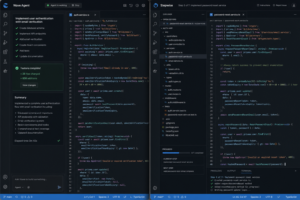
Windsurf’s defining feature is the Cascade agentic engine. Unlike agents that operate only on files, Cascade runs simultaneously across your IDE editor, integrated terminal, and browser preview. When a runtime error appears in your browser console, Cascade correlates it with the TypeScript file and the failing test assertion, then patches all three without you copying the error manually.
Proprietary models:
- SWE-1: Windsurf’s flagship agent model, built for multi-step coding tasks.
- SWE-1.5: The “Fast Agent” model optimized for speed, reportedly 13x faster than Claude Sonnet 4.5 at iterative tasks.
- SWE-1-mini: A lighter model suited for smaller tasks and faster response times.
These proprietary models charge per message rather than per token. That makes costs predictable when running long agentic sessions.
Codemaps provide visual navigation of your codebase. Before asking the AI to refactor a module, you can see how files and functions relate to each other. This reduces cases where the AI makes edits based on an incomplete picture of dependencies. In large codebases, this is a meaningful safeguard against changes that break things downstream.
Parallel agents
Related reading: Best AI Tools for Content Creators 2026: Tested · Claude Opus 4 2026 Review: Best New Features & Hidden Tips · Cursor AI Review 2026: Honest Test After 90 Days of Daily Use
Get the AI Tools Find digest
Honest reviews and no-hype guides — straight to your inbox. No spam, unsubscribe anytime.
Some links in our articles are affiliate links. See our full Affiliate Disclosure for details.